Building a business website is one of the first major investments a startup or SMB makes, and one of the most misunderstood in terms of time. Ask three different agencies and you will get three different answers.
The reality depends entirely on what you are building. A simple landing page can go live in 1 to 2 weeks. A brochure website usually takes 3 to 4 weeks. An ecommerce or custom web development project can take anywhere from 6 to 10 weeks or more.
Below are the actual timelines broken down by website type, what CMS to use, what causes delays, and how to speed the whole thing up.
Website Build Timelines by Type
Landing Page: 1 to 2 Weeks
If you need a single focused page, whether for a product launch, lead generation, or a campaign, this is the fastest turnaround. One week covers design, copy, and development. The second week handles revisions, testing, and going live.
This works only when the brief is clear from day one. If you are still figuring out your offer or messaging mid-project, that adds time.
Brochure Website (5 to 8 Pages): 3 to 4 Weeks
This is the most common type for small businesses and startups. Think Home, About, Services, Blog, Contact. Three to four weeks is realistic when content is ready upfront.
A typical breakdown looks like this:
- Week 1: Discovery, sitemap, wireframes
- Week 2: Design mockups and feedback
- Week 3: Development and content integration
- Week 4: Testing, SEO setup, revisions, and launch
Most businesses treat SEO as an afterthought after the site goes live. It should be built in from day one. If you are not sure where to start, understanding the types of SEO your website needs will save you a lot of time and money later.
Ecommerce Website: 6 to 10 Weeks
Ecommerce builds are in a different category. Product catalogues, payment gateway integration, shipping logic, inventory management, and mobile checkout all add complexity.
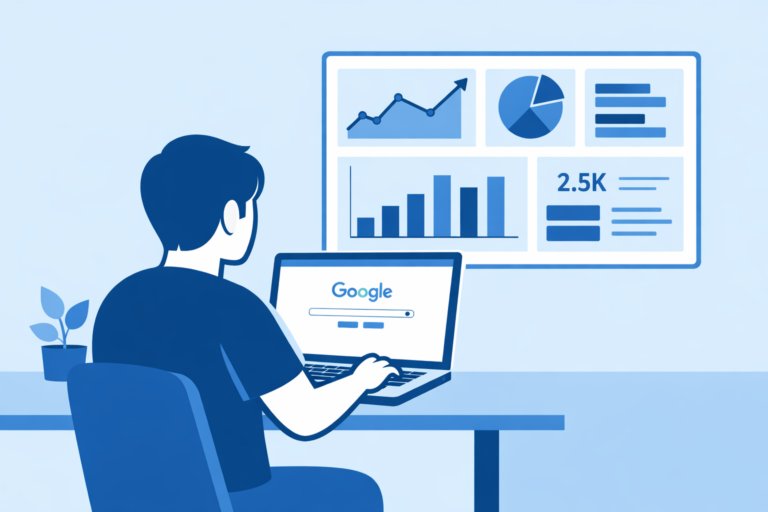
A WooCommerce store with 50 to 100 products can go live in 6 weeks when the brief is tight and content is ready. But going live is only half the job. Knowing how to track and improve your website performance after launch is what separates a website that grows from one that just sits there.
Custom Web Application or Portal: 10+ Weeks
If your website needs custom functionality like user dashboards, booking systems, or third-party API integrations, you are looking at a minimum of 10 weeks. These builds require detailed scoping before a timeline can even be confirmed.
Which CMS Should You Use for Your Business Website?
This is one of the most important decisions you will make, and it directly affects how fast your site gets built, how easy it is to manage, and how well it performs on search engines.
| CMS | Best For | SEO Control | Build Time | Ease of Use |
| WordPress | Most businesses, blogs, ecommerce | Excellent (Yoast / RankMath) | 3 to 8 weeks | Moderate |
| Webflow | Design-heavy, visual-first sites | Good | 3 to 5 weeks | Steeper curve |
| Shopify | Pure ecommerce stores | Decent, limited URL control | 4 to 8 weeks | Easy |
| Wix / Squarespace | Very early stage / idea validation | Limited | 1 to 2 weeks | Very easy |
WordPress: The Best Choice for Most Businesses
WordPress powers over 40% of all websites on the internet, and for good reason. It is open source, endlessly customisable, and has the strongest ecosystem of SEO plugins and tools available.
For startups and SMBs, WordPress hits the right balance of flexibility and control. You can start with a clean, well-structured web design and expand it over time into a blog, an ecommerce store, or a full service portal without ever migrating platforms. Everything is built to grow with you.
From an SEO perspective, WordPress gives you full control over everything that matters: title tags, meta descriptions, URL structure, schema markup, image alt text, canonical tags, and more. Plugins like Yoast SEO or RankMath handle the technical layer cleanly, making it easy for even non-technical teams to maintain on-page SEO without an agency holding their hand on every update.
Page speed is the one area where WordPress needs attention. A poorly configured WordPress site with too many plugins and unoptimised images will load slowly, and Core Web Vitals directly affect rankings. When built correctly with a lightweight theme, a caching plugin, and a good hosting setup, WordPress performs well on speed too.
Build timeline on WordPress: Brochure sites typically take 3 to 4 weeks. WooCommerce stores take 6 to 8 weeks depending on catalogue size and payment integrations.
Webflow: Good for Design-Heavy Sites
Webflow is a strong choice if visual design is the priority and you have a designer comfortable with the platform. It produces clean code, loads fast out of the box, and does not rely on plugins for basic functionality.
The downside is the content management system is less intuitive for non-technical business owners, and the SEO plugin ecosystem is far thinner than WordPress. If your team needs to update the site regularly or publish blogs consistently, the learning curve is steeper.
Build timeline on Webflow: Similar to WordPress, 3 to 5 weeks for brochure sites.
Shopify: Purpose-Built for Ecommerce
If your primary goal is selling products online, Shopify is hard to argue against. It handles payments, inventory, shipping, and checkout out of the box. The SEO capabilities are decent but more limited than WooCommerce on WordPress. You have less control over URL structure, and certain technical SEO customisations require workarounds.
For businesses that want ecommerce first and content second, Shopify works well. For businesses that want strong content marketing and ecommerce together, WooCommerce on WordPress is the better long-term choice.
Build timeline on Shopify: 4 to 8 weeks depending on product volume and custom requirements.
Page Builders (Wix, Squarespace): For Very Early Stage Only
Wix and Squarespace are fine for validating an idea quickly. They are not a foundation you want to build a serious business on. SEO control is limited, site migration is painful, and you hit a ceiling fast as your requirements grow.
If you are a startup planning to invest in content marketing and organic search over the next 12 to 24 months, start on WordPress. Migration costs later will far exceed what you save by starting on a page builder.
What Actually Causes Delays
Most website projects that run over schedule are not delayed by the agency. They are delayed by things on the client side.
Content Not Being Ready
This is the single biggest reason projects slip. Designers and developers can only move as fast as the content they are working with. If your text, images, and brand assets are not ready when the project starts, expect the timeline to move by at least one to two weeks.
Too Many Decision-Makers
When multiple people need to approve every mockup and nobody agrees, projects stall. Designate one primary point of contact on your end. It makes a significant difference.
Scope Creep
Requesting additional pages or features mid-project pushes the delivery date back. Anything that was not in the original scope should be treated as a separate task with its own timeline.
Slow Feedback Cycles
If review rounds take three to five days each, a four-week project becomes a seven-week one. Agree on a 24 to 48 hour feedback turnaround before the project begins.
How to Speed Up Your Website Build
Have Your Content Ready Before Day One
Draft your copy, collect your brand assets, and shortlist reference websites you like before the project starts. Handing all of this over at the discovery stage cuts at least a week off most timelines.
Be Specific in Your Brief
Vague briefs produce vague designs. The more specific you are about your goals, your audience, and the pages you need, the faster the team can move. A good web development company in Bangalore will walk you through a structured discovery process before any design work begins.
Decide on Your CMS Before the Project Starts
Switching platforms mid-project is expensive and time-consuming. Make the CMS decision in week one based on your long-term content and marketing needs.
Work With an Agency That Runs Design and Development in Parallel
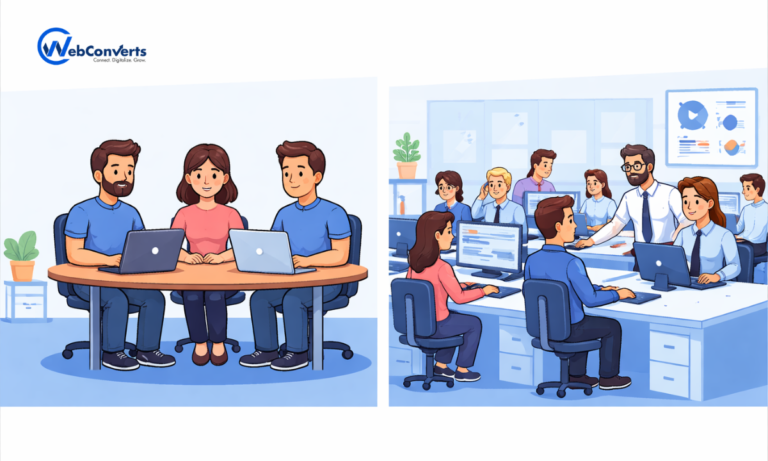
A dedicated digital marketing agency in Bangalore with an in-house web team can run design, content, and development simultaneously. A solo freelancer handles one task at a time. If your timeline matters, this distinction matters.
Conclusion
The timeline for your website depends less on the agency and more on how prepared you are going in. A clear content plan, a decided CMS, a tight brief, and quick feedback will consistently produce faster and better results.
For most startups and SMBs, WordPress is the right foundation. It gives you the flexibility to grow, the SEO control to compete organically, and an ecosystem large enough that you will never outgrow it quickly.
If you are planning a new website or rebuilding an existing one, start the conversation early. The planning phase is where timelines are won or lost, not during development.
Frequently Asked Questions
Can a website be built in a week?
A basic landing page, yes. A full brochure website, no. Anything built in under a week is either extremely simple or cutting corners on testing and SEO setup.
Is WordPress good for SEO?
Yes, WordPress is one of the best platforms for SEO. It gives you full control over your URL structure, meta data, schema markup, and page speed optimisation. With plugins like Yoast or RankMath, even non-technical teams can manage on-page SEO without relying on a developer for every change.
Does hiring an agency make the build faster?
Usually, yes. An experienced digital marketing company in Bangalore with an in-house web team can run design, development, and SEO in parallel. This compresses the timeline significantly compared to a freelancer working sequentially.
What is the cheapest type of website to build?
A single landing page on a template is the lowest-cost option. That said, a website that does not convert or rank is just an ongoing expense. The cheapest build is rarely the most effective one. Should SEO be set up before or after the site launches?
Before. On-page SEO, URL structure, meta tags, schema, and image optimisation should all be part of the build, not added afterward. Retrofitting SEO on a live site takes longer and often requires undoing decisions made during development.
How do I know if the timeline I have been quoted is realistic?
Ask for a week-by-week breakdown. Any serious web development team should be able to tell you what happens in each phase what they need from you, and when they need it.